Patient Fell in the Lobby and Wants the Video: What Should the Front Desk Do?
When a patient falls in the clinic lobby and asks to see the CCTV footage, front desk staff face a delicate balancing act. Staff must carefully preserve and manage the video evidence while respecting privacy rules and clinic policies. This post outlines clear steps and best practices to follow — from intake of the patient request to preserving footage, handling supervised viewing, and improving camera setups to avoid over-collection of patient data.
What Incident Are We Trying to Solve?
Before jumping to pull surveillance video, ask yourself and your team: What incident are we trying to solve? In this case, it’s the patient’s fall in the lobby. The goal is to:
- Preserve the footage that shows the incident.
- Share it securely with the patient or their representative if appropriate.
- Ensure privacy and data minimization to comply with HIPAA and internal privacy policies.
Knowing this helps avoid over-collection and unnecessary exposure of other patients or staff captured on camera.

Patient Request Intake: Documenting and Assessing the Video Request
The first step at the front desk is a clear patient request intake.
- Record essential details: Patient name, date/time of fall, description of incident, and reason for video request.
- Clarify specifics: Ask which part of the lobby or what time window the patient believes the fall was captured.
- Explain process and limits: Share that privacy rules require supervised viewing or redaction before sharing video externally.
- Obtain consent: Have the patient sign a video request form detailing the review, any redaction, and data usage policies.
Documenting this intake is crucial for both legal protection and for ensuring you pull the correct footage without unnecessary searching through unrelated recordings.
Preserving Footage Before Overwrite
Clinic CCTV systems often overwrite footage after a set retention period—sometimes as short as 7 or 14 days.
When a patient fall is reported, it’s vital to:
- Immediately flag and preserve video: Export the video segment from the relevant camera(s) as soon as possible.
- Save to a secure location: Store the file on a locked, access-controlled server or storage device dedicated for incident footage.
- Identify footage clearly: Name files with incident date/time and camera view (example: Lobby_Cam1_Fall_2024-06-15_14_30_00.mp4).
Don’t let footage sit in the system to be overwritten; early preservation avoids data loss and administrative headaches.
Role-Based CCTV User Accounts: Secure and Traceable Access
One of the most critical security principles is never to use shared passwords for CCTV access.
- Assign named user accounts: Each staff member authorized to access footage should have their own login.
- Role-based permissions: Define access levels carefully—some may only view live feed, others can export video.
- Audit trails: Systems that log exactly who viewed or exported footage help maintain accountability.
Using role-based accounts protects patient privacy, prevents unauthorized access, and makes it easier to investigate any misuse.
Supervised Viewing Policy: How to Show Video to Patients
Allowing patients or their representatives to view surveillance footage is sensitive and must be handled under a strict supervised viewing policy.
- Schedule viewing sessions in a private room with a staff member present.
- Ensure the viewing device and setup display only the relevant footage, not other camera angles or unrelated areas.
- If possible, use Gallio PRO or similar on-premises visual redaction/anonymization software to blur or mask sensitive areas, other patients, or staff badges before viewing.
- Record consent on a viewing log indicating date, time, viewer’s identity, and purpose.
- Never share raw footage files over email or external drives without proper encryption and policies.
This supervised approach ensures compliance with privacy laws and helps avoid inadvertent disclosure of protected health information (PHI).
Camera Placement: Avoiding Over-Collection of Data
Good camera placement principles minimize capturing unnecessary patient or staff data:
- Focus cameras on hallways, doorways, or the floor to cover trip hazards—not on patient registration screens or paperwork.
- Adjust fields of view so monitors, badges, or private conversations aren’t clearly visible.
- Document all camera views and their purpose in a camera field-of-view review log.
Regular reviews reduce liability and reinforce compliance with data minimization principles.
Field-of-View Reviews and Documentation
Maintain routine documentation for each camera covering:
Camera Name (e.g., Lobby Cam 2) Location Purpose (e.g., monitor lobby floor safety) Field of View Description Privacy Considerations / Redaction Needs Last Review Date Lobby Cam 2 Main Lobby Ceiling Monitor possible fall risks on floor near seating Faces seating area and lobby entrance only; excludes front desk monitors No monitors visible; badges occluded by seating arrangements 2024-05-10Keep this document updated and available to your compliance officer or clinic manager.
Using Gallio PRO for Visual Redaction and Anonymization
When you export footage, personally identifiable information—like faces, staff badges, or sensitive paperwork—can appear in the video. Using specialized software like Gallio PRO provides powerful on-premises redaction and anonymization tools.
- Automatically blur faces of unrelated individuals captured in the background.
- Mask staff badges and computer screens to remove PHI exposure.
- Edit clips before sharing externally, ensuring compliance with HIPAA and clinic policy.
- Process footage locally to avoid security risks of cloud uploading.
Integrating Gallio PRO into your video request workflow simplifies privacy compliance and protects everyone involved.
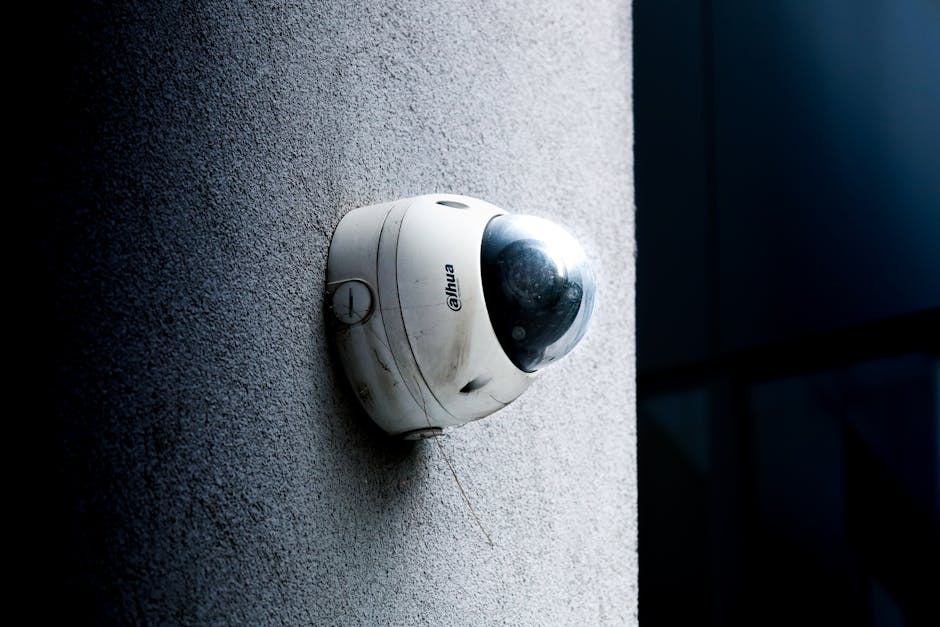
Summary Checklist for Front Desk Staff Handling a Patient Fall Video Request
- Intake: Document patient info, incident details, and get signed consent.
- Preserve: Export and securely store relevant footage ASAP before overwrite.
- Access: Use role-based CCTV user accounts; no sharing passwords.
- Viewing: Schedule supervised viewing in a private room; use Gallio PRO for redactions.
- Camera setup: Confirm camera placements purpose-fit for safety, avoiding unnecessary PHI capture.
- Documentation: Keep field-of-view logs and review dates up to date.
Final Thoughts
When a patient falls and requests video footage, the front desk is the first line of defense for patient care, privacy, and compliance. By focusing on the incident’s purpose, minimizing data collection, securing footage immediately, using named accounts, and employing supervised viewing with proper redaction, clinics can https://securitysenses.com/posts/cctv-medical-practices-and-clinics-practical-privacy-guide-front-desk-and-administrative build a trustable, privacy-safe workflow.
Remember: It’s not just about grabbing "the video" but managing it responsibly so patient safety and privacy coexist alongside clinic operational needs.